An AI tutor while you write
The AI panel opens next to the page. It explains, suggests ideas and structures and, with «Review my text», comments on your draft without rewriting it.

Writing, local AI, sources, assignments, recording and verification, in one program and one file.
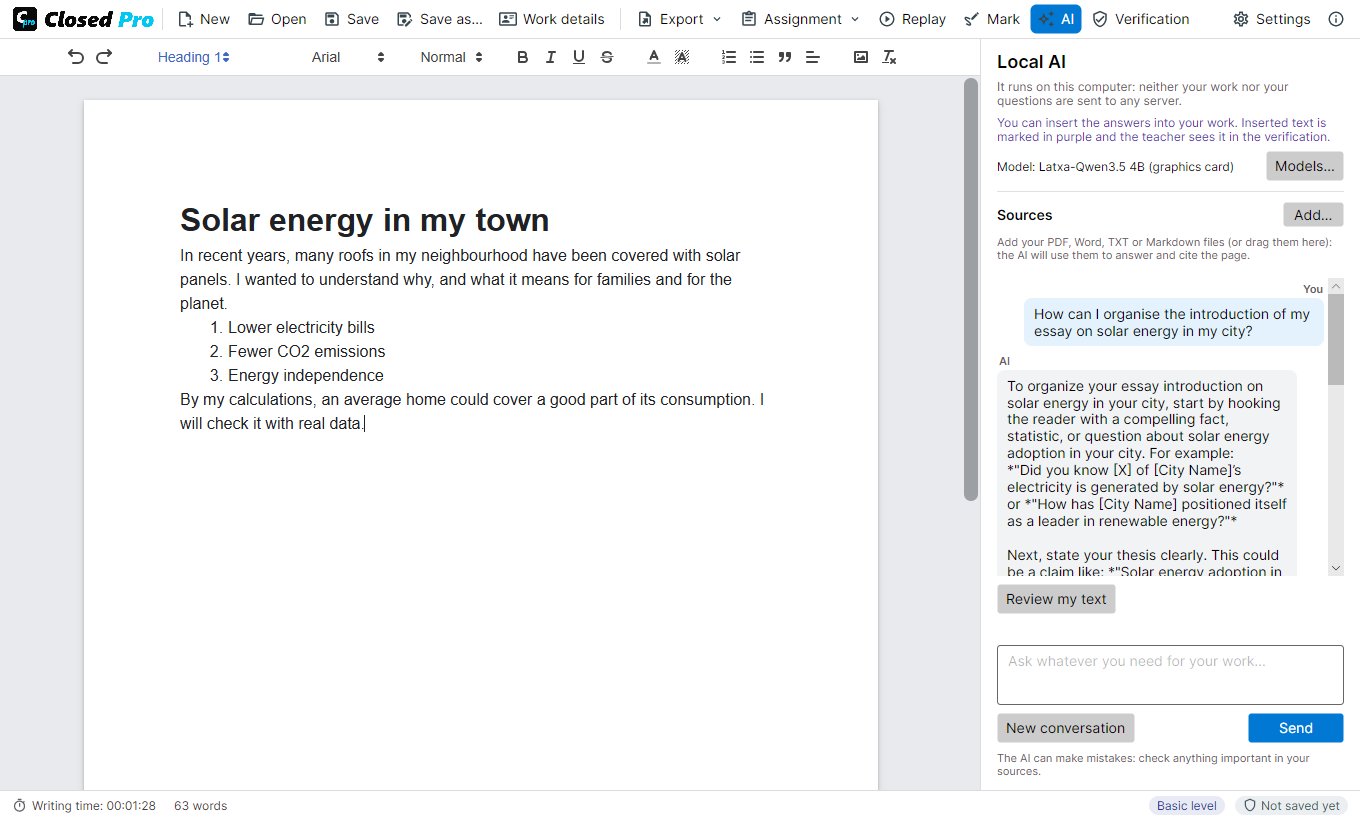
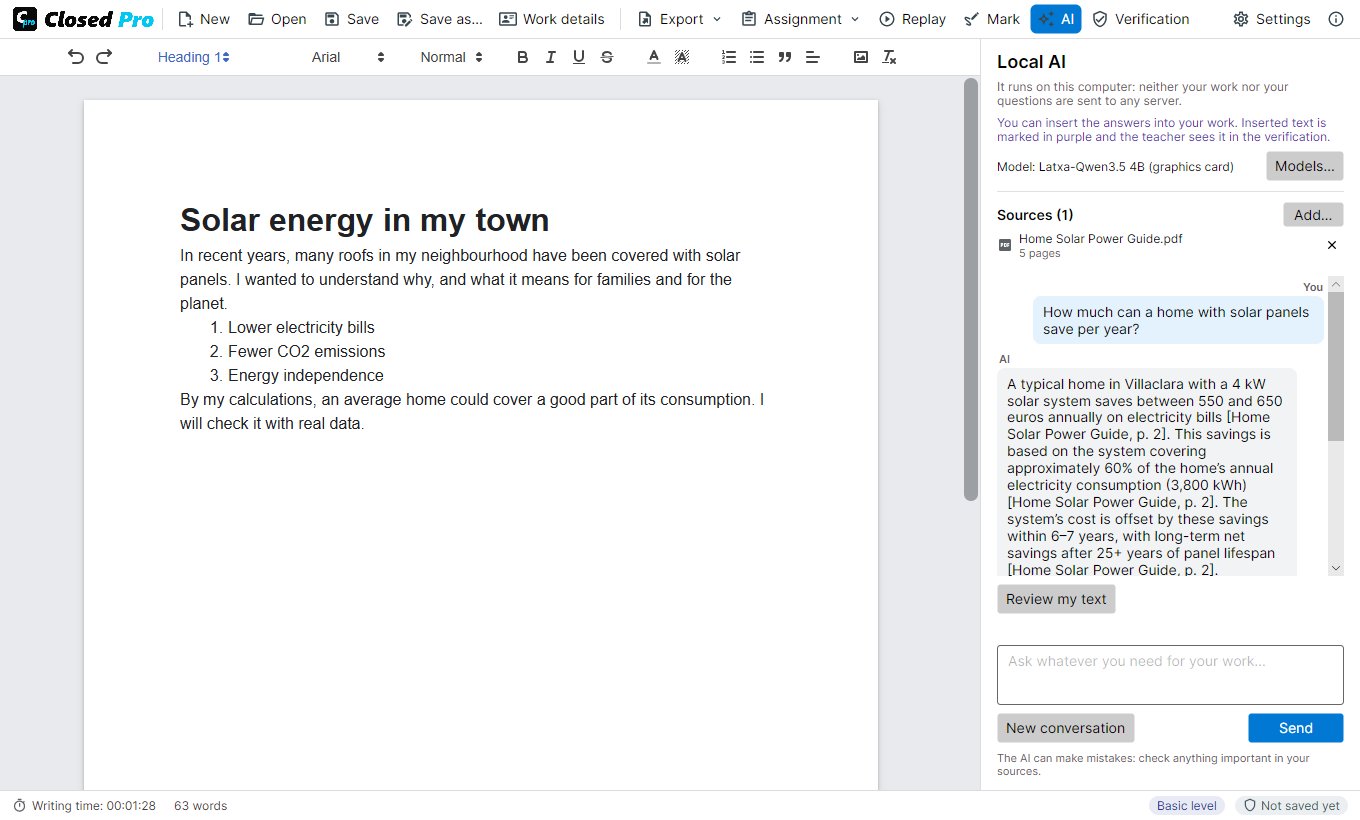
The AI panel opens next to the page. It explains, suggests ideas and structures and, with «Review my text», comments on your draft without rewriting it.
The model is downloaded once (1.7 to 4.7 GB) and works offline. Neither the work nor the questions are sent to any server.
Qwen3 in three sizes and Latxa, the best in Catalan, Galician and Basque. Closed Pro recommends one for your computer's memory and your language.
An answer can be inserted into the document without pasting, when allowed. It stays marked in purple and appears in the verification.
Every AI answer has a «⚑ Report» button, in case it ever generates something offensive or false.
The program, the AI answers and the manual in English, Spanish, German, French, Italian, Portuguese, Dutch, Polish, Catalan, Galician and Basque.
Add notes, readings or articles in PDF, Word, TXT or Markdown, or drag them onto the panel. Scanned PDFs are read with Windows text recognition.
Every fact in the answer carries its source and page, like «[Reading 2, p. 4]». Closed Pro writes the page, not the AI.
Two small search models find the passages that answer the question even if they use other words, and discard the rest.
«View the excerpts» shows the exact text the AI received for each answer, the cited excerpts first.
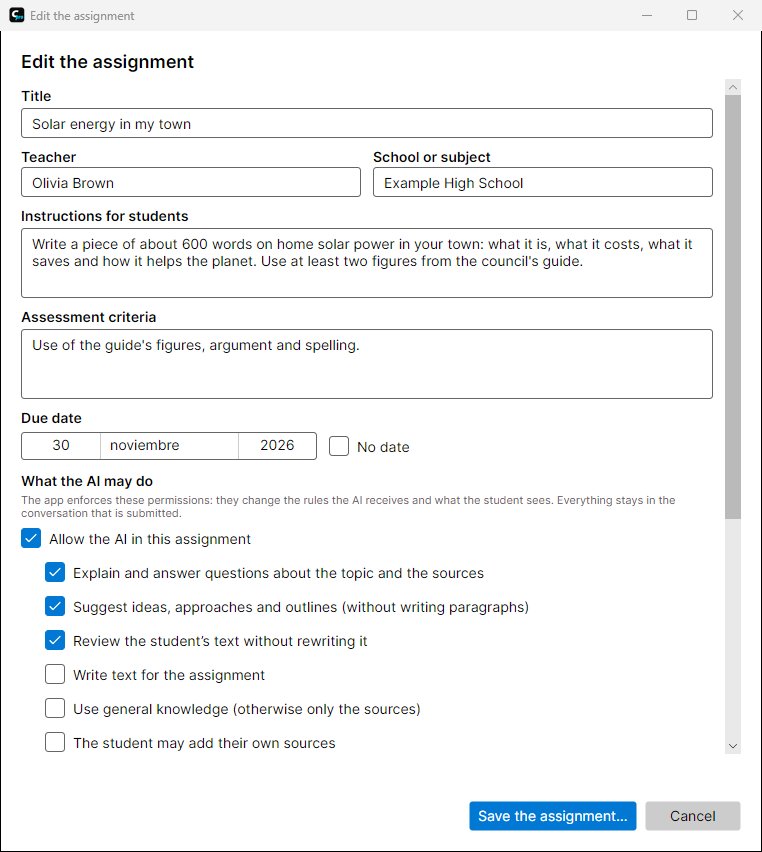
The teacher prepares a .closedtask file with the statement, the criteria, the due date and the materials, and shares it on Moodle, Classroom, Teams or by email.
Explain, suggest ideas, review, write text for the work, use general knowledge or only the materials, or no AI at all. The app enforces it, not the AI.
Instructions for the AI in the teacher's words (the student sees them) and a limit on the number of questions.
The submission carries the assignment it was done with. Closed Pro checks that it matches the one the teacher created.
The student hands in the .closedpro file, or a PDF that opens in any viewer and carries it inside, for platforms that only accept PDF. Both can be verified.
The teacher marks the hand-in PDF with highlights, notes and the grade. The student sees them in any viewer and the work can still be verified.
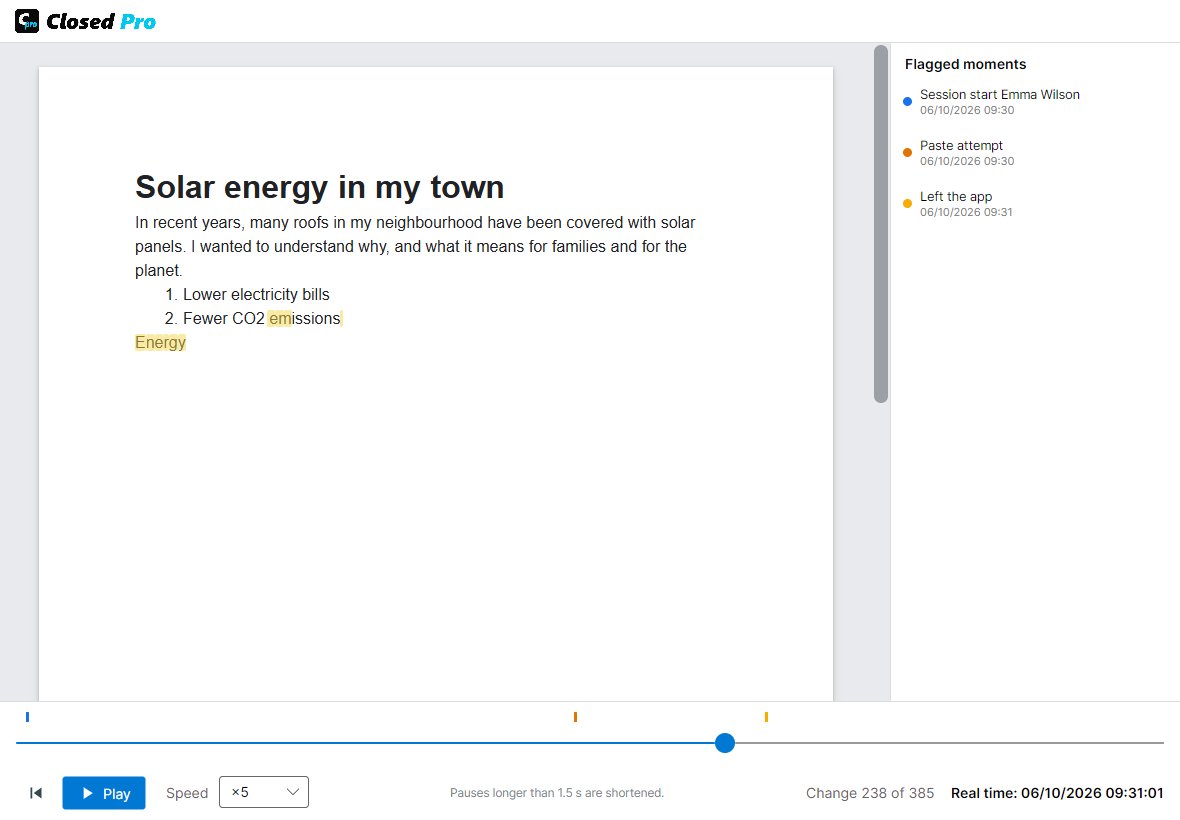
What is typed and deleted, with its time, and every question to the AI with its answer, the cited sources and the refused requests.
Pauses longer than a minute and time outside the program do not count. Every switch to another window is recorded.
The writing played back like a video, up to ×100, with the flagged moments.
A PDF with the signature, the writing data, the assignment, the use of the AI and, in an annex, the whole conversation.
Basic needs nothing; Medium and Advanced also sign with the author's digital certificate.
Closed Pro opens and verifies the work done with Closed Lite, the version without AI, and can go on writing it as Closed Lite work.